Let ProperFile do the chasing. It can remind clients to sign their e-documents, and remind your attorneys before a hearing, by email and, if you like, by text message.
Time needed: about 2 minutes.
Step 1
Open Reminders
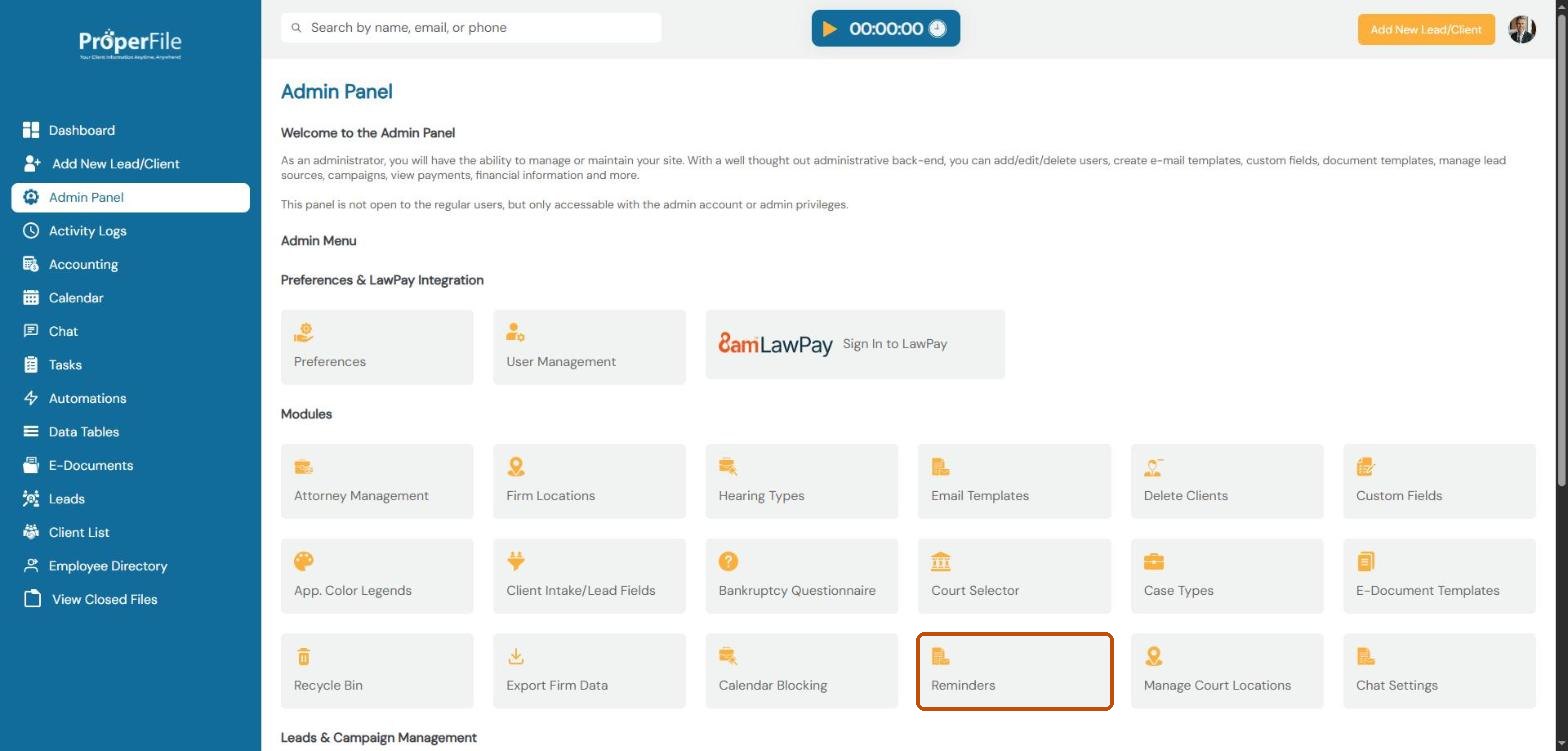
Click Admin Panel in the left menu, then click Reminders.
Step 2
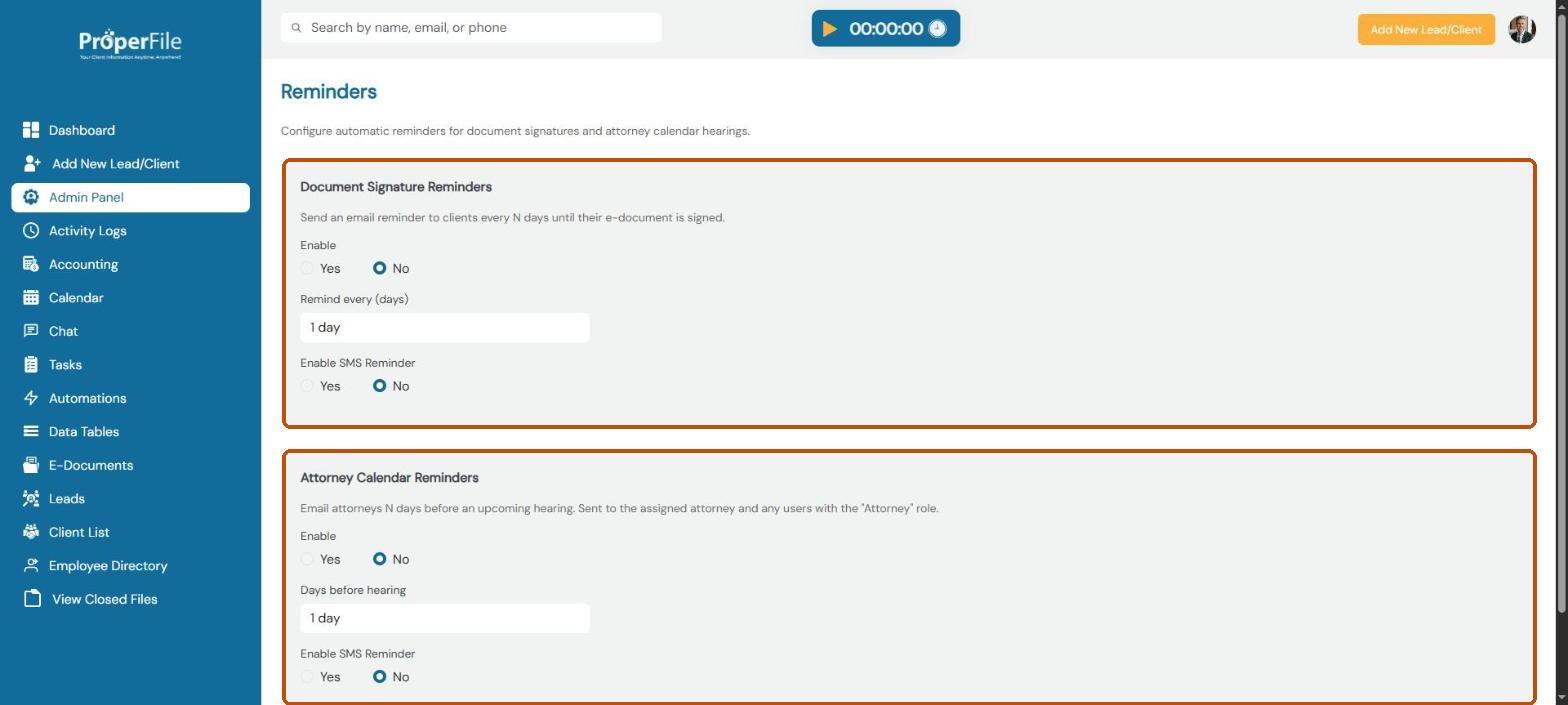
Know the two kinds of reminders
Document Signature Reminders email a client every few days until they sign an e-document you sent them.
Attorney Calendar Reminders email attorneys a set number of days before a hearing. They go to the attorney assigned to the case and to every user whose user type is Attorney.
Both start switched off.
Step 3
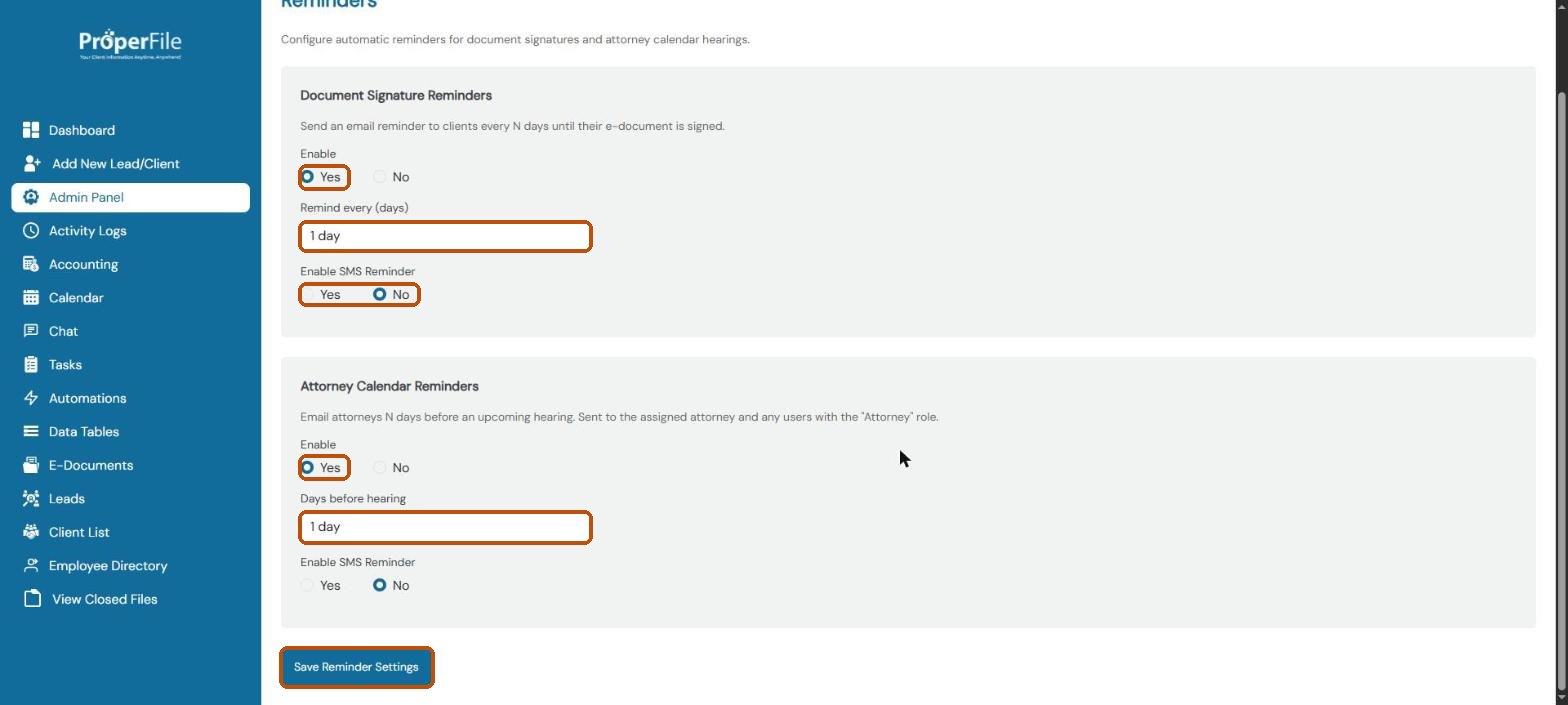
Turn them on and save
For each reminder, choose Yes under Enable. Pick how often to remind clients (every 1 to 5 days) and how many days before a hearing to remind attorneys (1 to 7 days). Choose Yes under Enable SMS Reminder to send a text message as well. Click Save Reminder Settings.
Tip: text reminders need a mobile number on the client’s or attorney’s record.
What’s next
Keep going
Next, block out vacations and office closures with Calendar blocking. All guides are in the Help Center.