Firm Chat keeps conversations with your team inside ProperFile. Post to a channel everyone can see, or send someone a direct message. Your clients can’t see firm chat.
Time needed: about 2 minutes.
Step 1
Open Chat
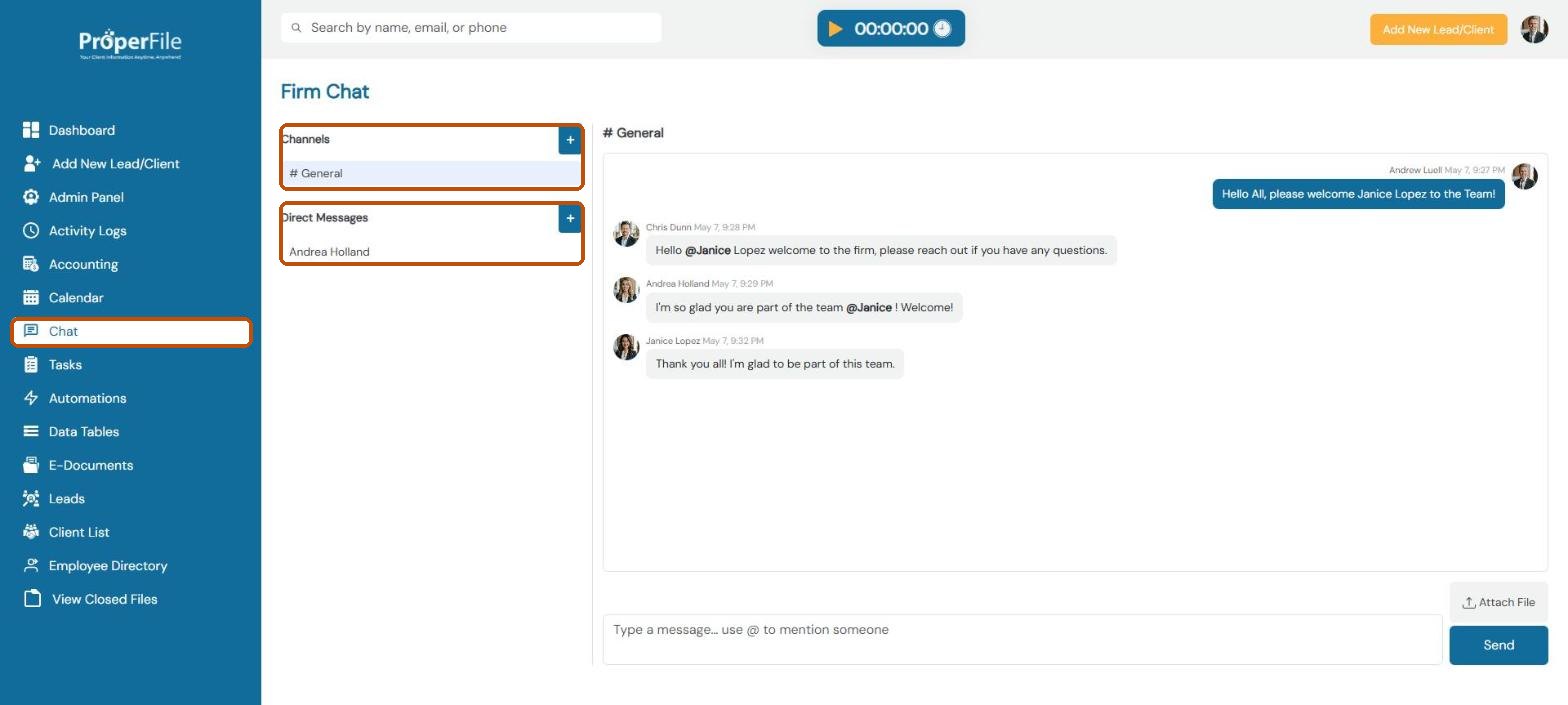
Click Chat in the left menu. Channels such as # General are shared with the team; Direct Messages are one-to-one. Click the + next to Channels to create a channel, or next to Direct Messages to start a conversation with someone.
Step 2
Mention someone
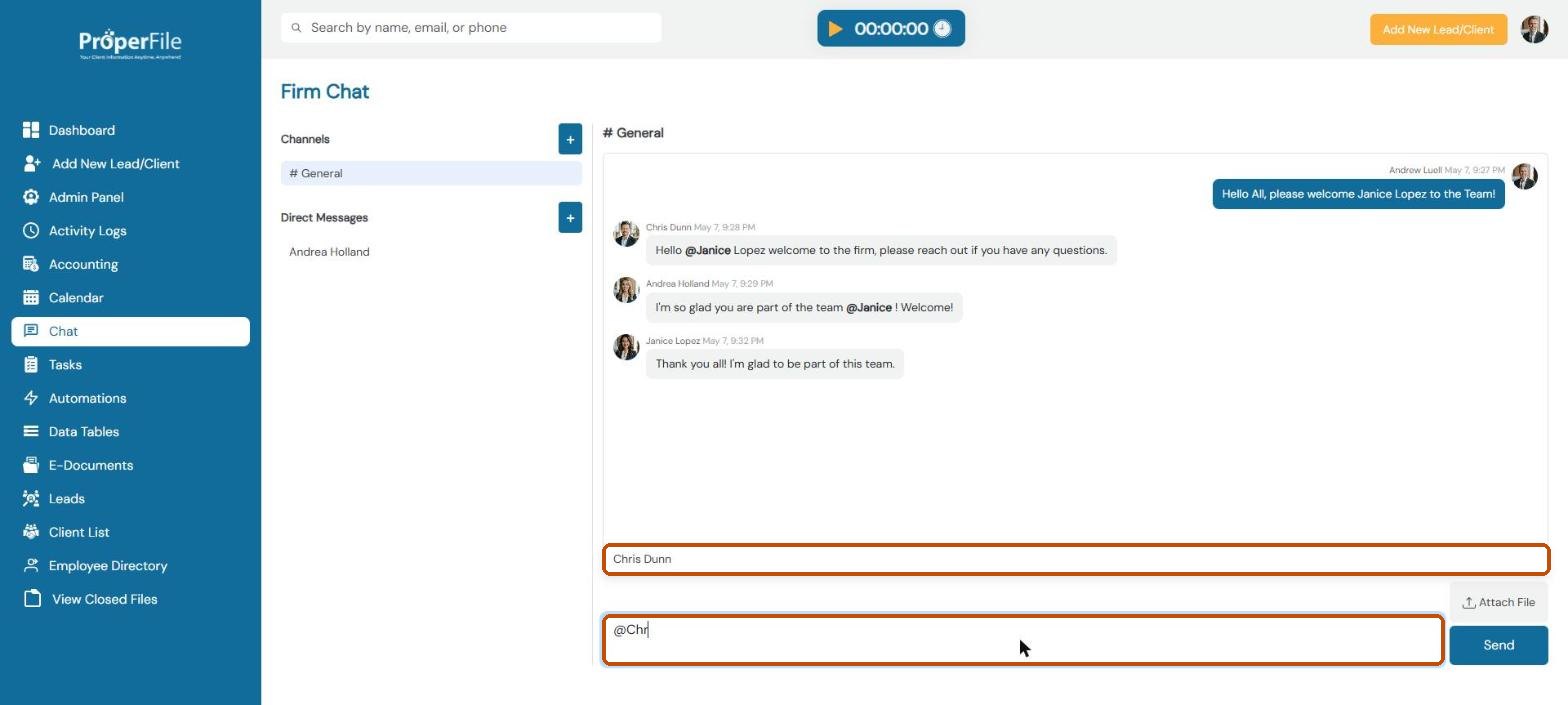
Click in the message box and type @ followed by part of a name, then pick the person from the list. They’ll see they were mentioned.
Step 3
Send your message
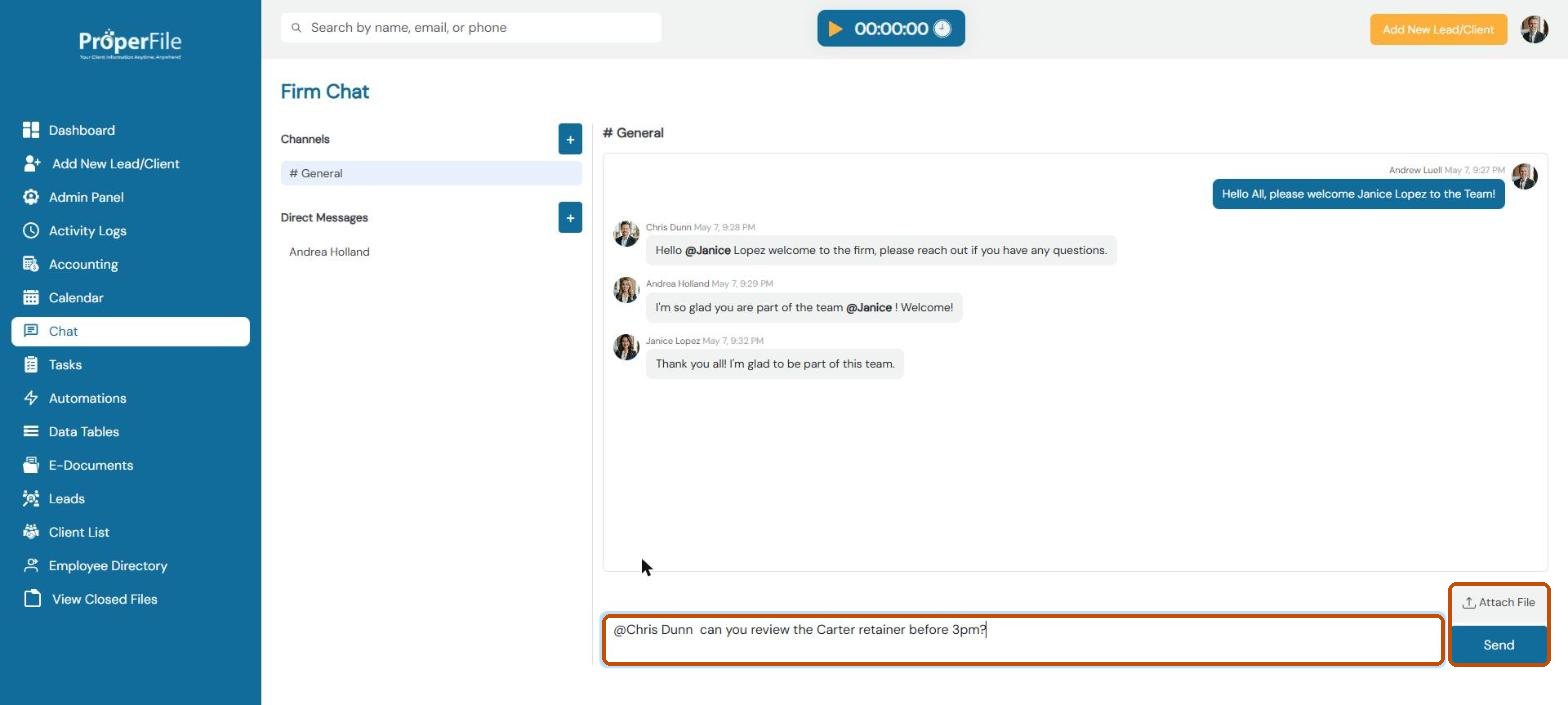
Finish typing and click Send. Click Attach File to share a document with the team.
Tip: when you have unread messages, ProperFile shows a pop-up so you don’t miss them.
What’s next
Keep going
Next, see your firm’s numbers in Reports. All guides are in the Help Center.