
CUSTOM FIELDS
Custom fields for exactly what each case type needs
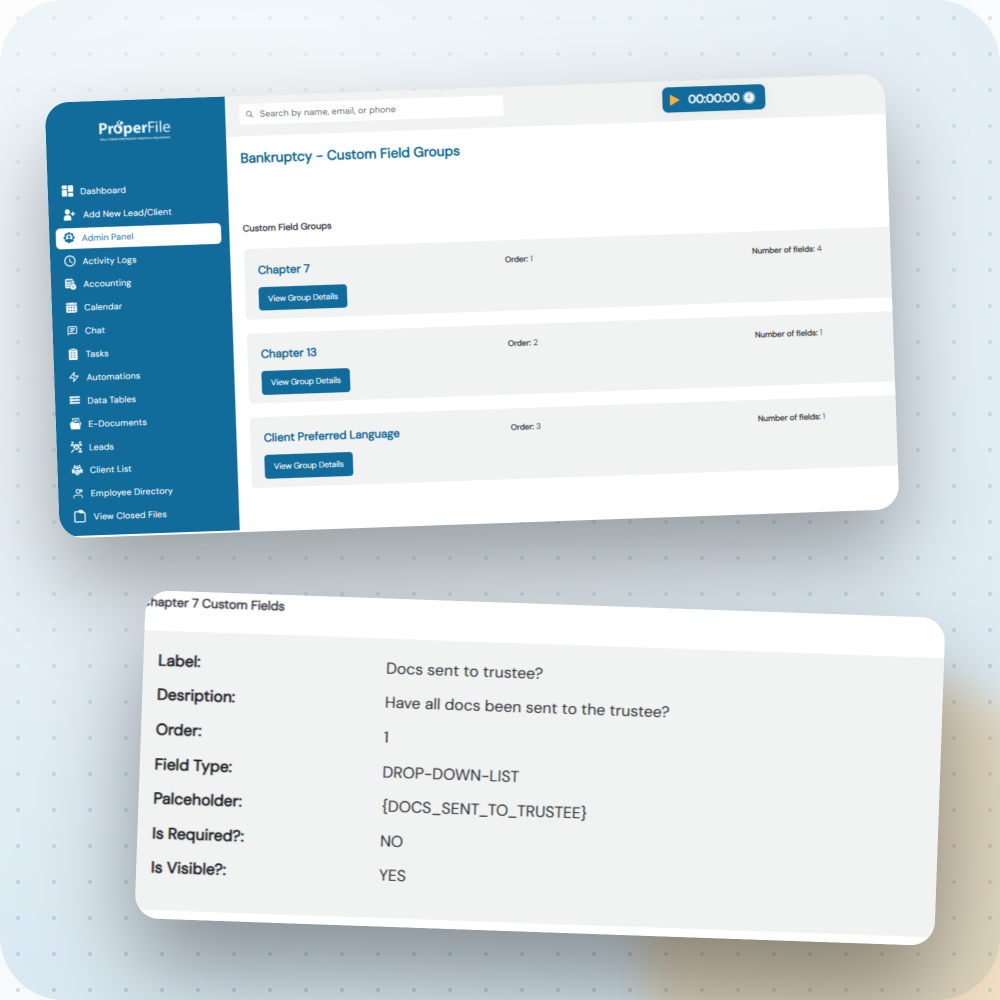
ProperFile’s predefined fields cover the basics. When a case type needs more, add unlimited custom fields for dates, text, or multiple choice answers, scoped to that case type alone.
THREE FIELD TYPES
Whatever you need to capture, there’s a field for it
Pick the field type that fits the information, then attach it to whichever case types need it. Flip each card to see it in action.
Date
Date
Text
Text
Multiple Choice
Multiple Choice
WHY CUSTOM FIELDS
Generic fields force a compromise. Custom fields don’t.
Most case software gives you one fixed set of fields for every matter. ProperFile lets you build fields around how you actually practice.
TYPICAL CASE SOFTWARE
One rigid set of fields
- Every case type is stuck with the same predefined fields.
- Details that don’t fit get crammed into a notes box, if they get tracked at all.
- No way to adjust fields as your practice areas grow.
PROPERFILE
Unlimited custom fields, per case type
- Each case type keeps its own custom fields, so a personal injury case doesn’t look like a real estate closing.
- Choose dates, text, or multiple choice, whichever fits the information.
- No limit on how many you create. Add one whenever a new need comes up.
A few examples of what firms track
For example, a personal injury firm might add fields for injury type and treating physician. An immigration practice might track visa category and priority date. A real estate matter might need property address and closing date.
Personal Injury
Immigration
Real Estate
Custom fields work hand in hand with your intake forms. Answers clients submit can flow straight into the fields you’ve built for that case type.
Set up fields that match how you practice
Start your free trial and build custom fields for the case types you handle.